Google Chrome will soon throw security warnings at you that you cannot ignore
Google is changing how Chrome reports potentially malicious file downloads to the user. While the blocking algorithm is not changing, Chrome will display full screen security warnings to the user.
Google Chrome blocks file downloads that its Safe Browsing feature considers malicious. Whether these are indeed malicious or not is not always clear, as Safe Browsing may block access to files that are not.
Google has changed Chrome's Safe Browsing feature several times in recent history. Here are two recent changes:
- In September 2023, Google enabled real-time checks in Chrome's Safe Browsing feature.
- Also in 2023, Google added options to warn users about malicious extensions in Chrome.
Google changing how Chrome handles dangerous downloads
Soon, Google Chrome will display a different kind of warning when users attempt to download malicious files. First up is the blocking of the file download.
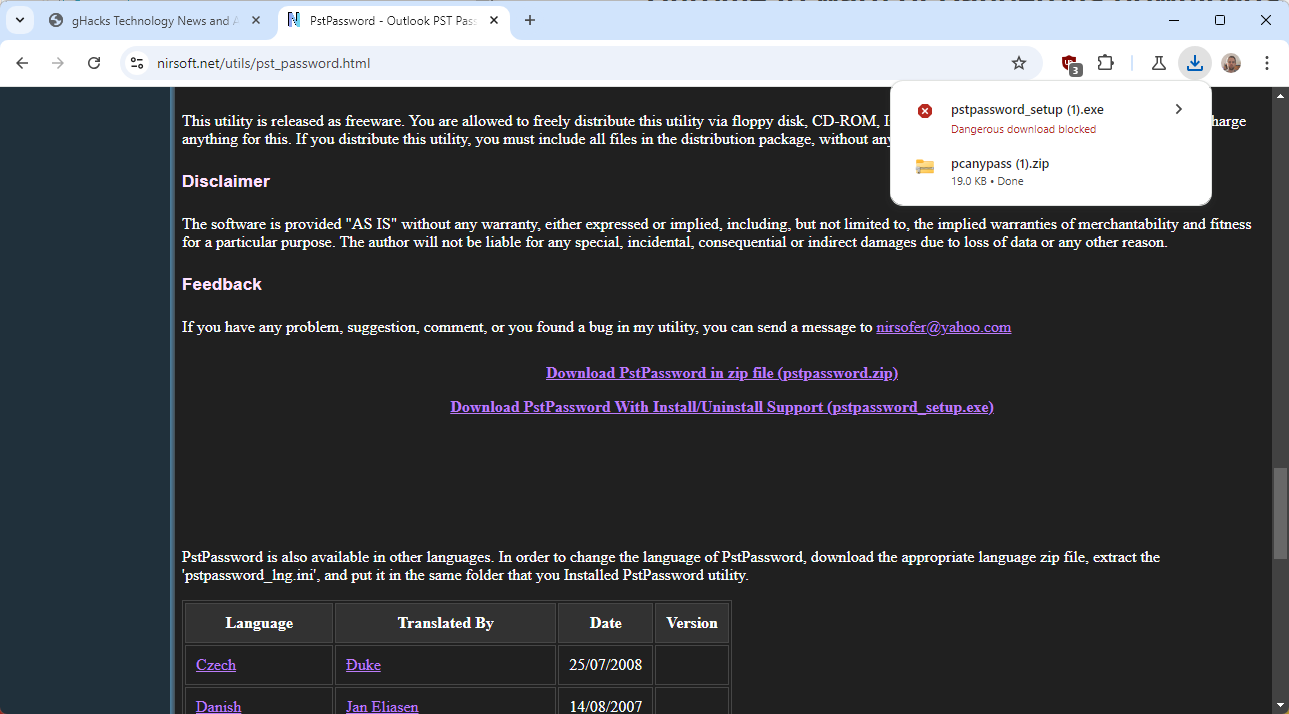
Chrome displays the download list and states "dangerous download blocked" in red letters underneath the download.
A click on the download reveals additional information. In the case of the test download, Chrome stated "this file is dangerous".
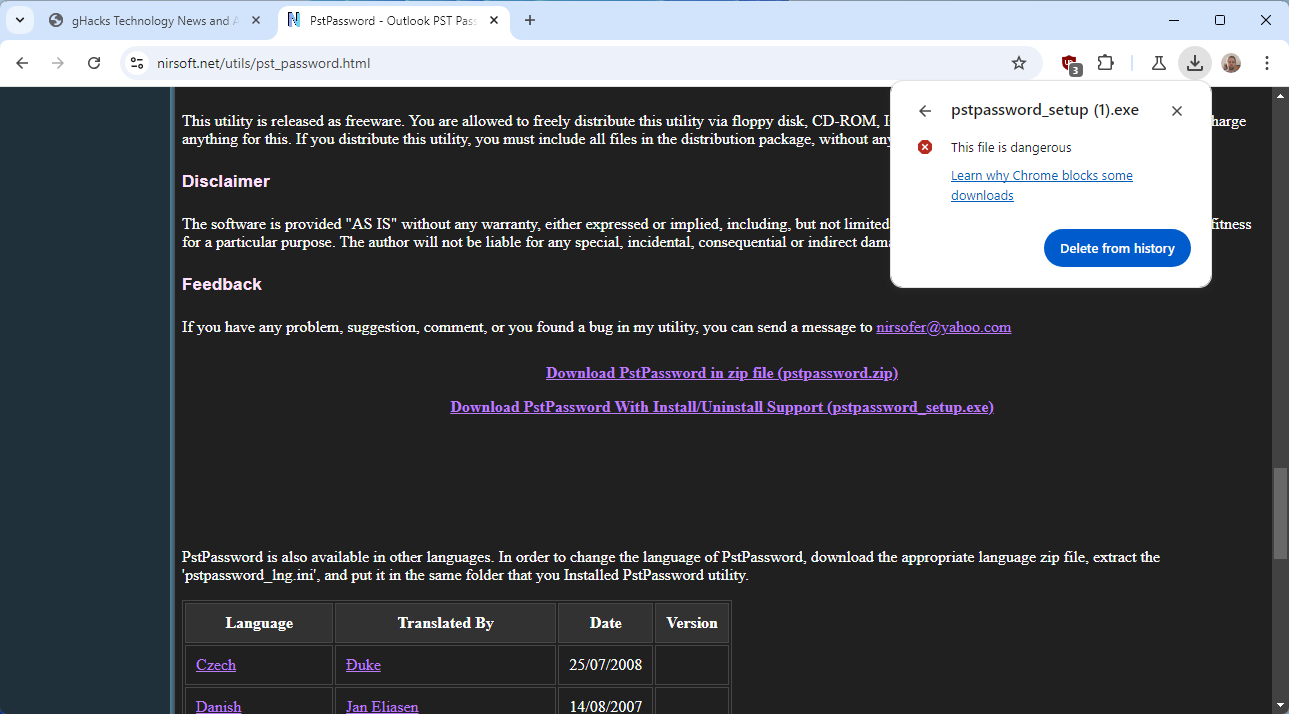
The only options at this point are to delete the download from the history and to click on a help link. Deleting the download from history removes it from the system.
The only option to resume the download is the following:
- Load chrome://downloads/ in the browser's address bar or select Menu > Downloads.
- Activate the menu icon next to the flagged file and select "download dangerous file" from the menu. Chrome throws a full browser window warning at you at this point.
- Select "continue anyway".
- Pick a reason for wanting to download the file. Chrome gives three:
- I created this file.
- I trust the site.
- I'm willing to accept the risk,
- Activate the download button.
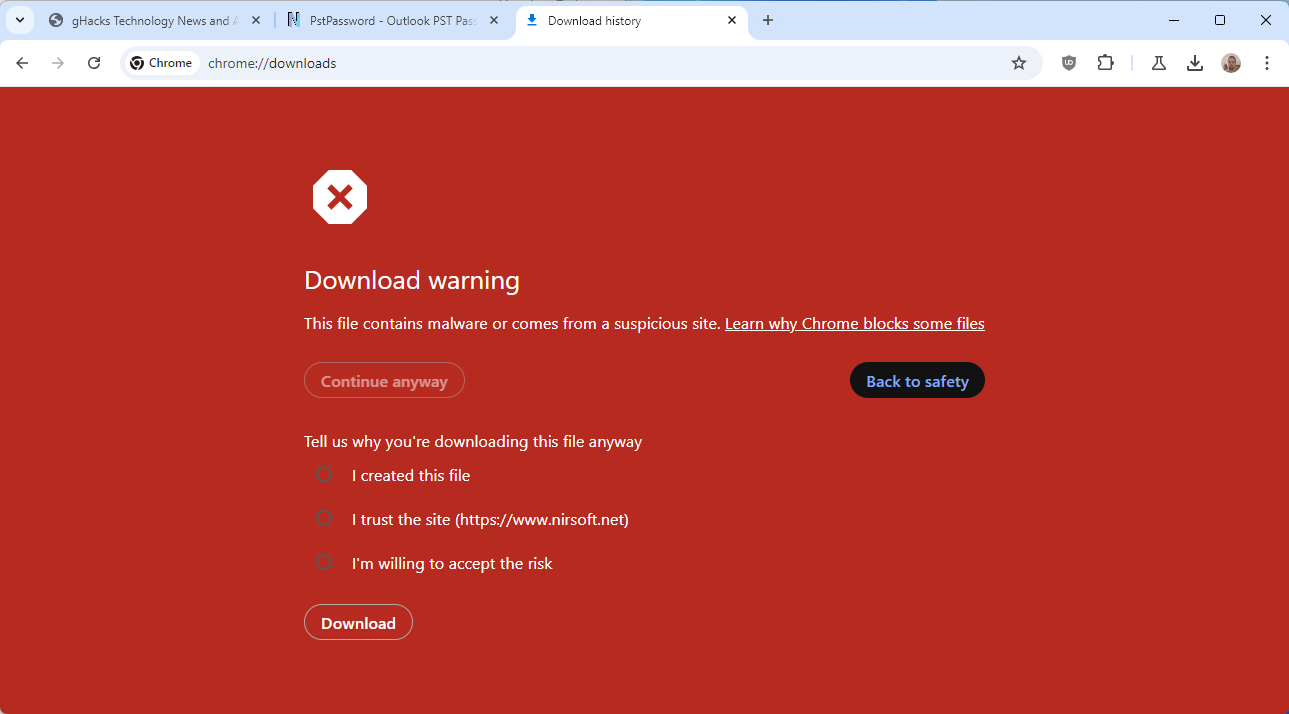
It does not matter which reason you select, all lead to the download. Once you have clicked on the download button, Chrome will download the file to the local system.
To better understand how this differs from Chrome's current process, it is necessary to list it here.
Current versions of Chrome will also prevent the download and display only the delete history option in the download window. A click on the menu on the downloads page displays a prompt with an option to download the file.
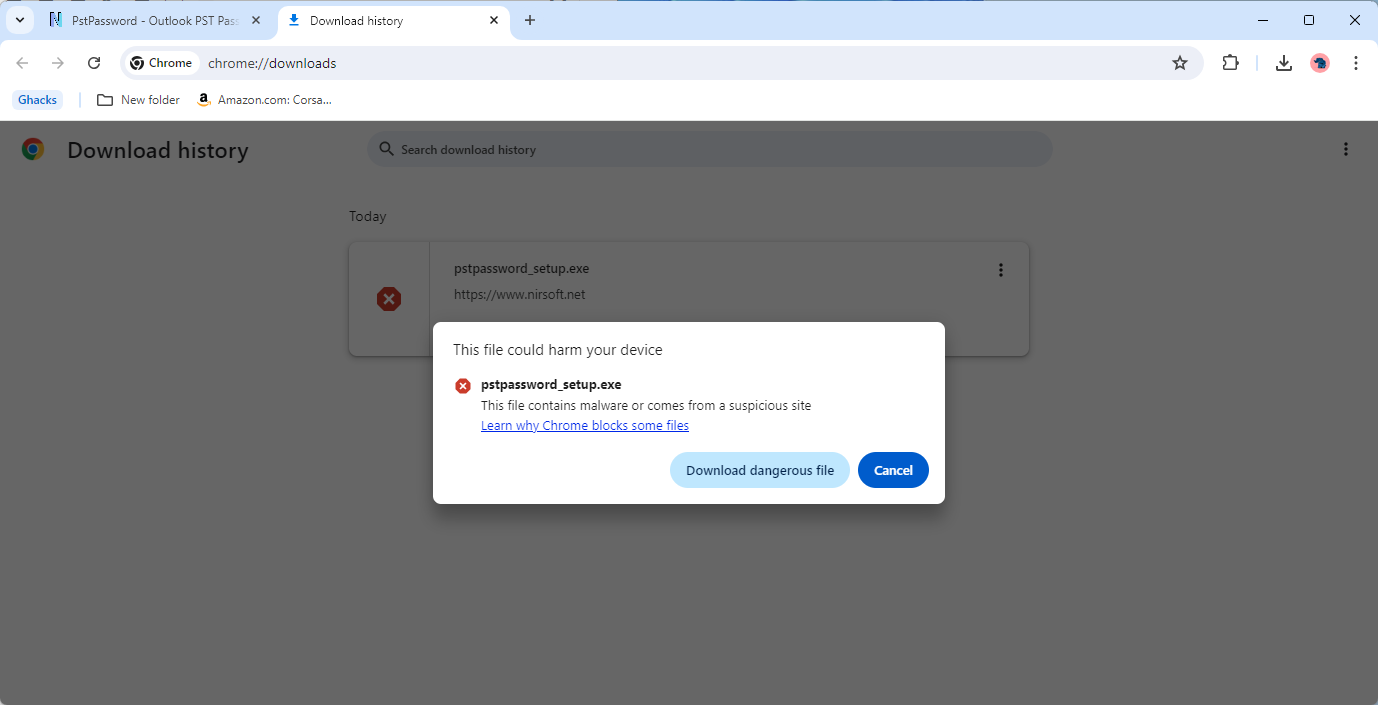
In other words, there is no full page warning screen or the requirement to select a reason for downloading the file.
Closing Words
Whether this new barrier to downloading dangerous files will reduce the number of malicious downloads remains to be seen. It is surely adding complexity to the process and it feels strange that users have to select a reason for wanting to download the file, especially since all lead to the desired result.
There is still the option to use a different browser, if a particular download is not working properly in Chrome.
What about you? Do you use web browsers to download files or specialized download managers? Feel free to write a comment down below.
RECOMMENDED NEWS

Canonical: up to 12 years of support for Ubuntu 24.04 LTS
Ubuntu 24.04 LTS is expected in April 2024. The new long-term service support release of the popula...

Google ends support for less secure passwords in third-party apps (workaround)
If you use an application or service that requires a Google username and password, then you may not...
Microsoft’s controversial Windows Recall feature is coming back in October
If you thought that Microsoft was done with Recall after its catastrophic reveal as the main featur...

Microsoft releases the October 2024 security updates for Windows
Microsoft has released the October 2024 cumulative updates for all supported versions of the Window...

Blizzard Announces Diablo 4's Second Expansion Set for 2026 Release
Blizzard Entertainment has announced that the second expansion for Diablo 4 is scheduled for releas...

Android: Factory Reset may render a device useless and request another reset to discourage thieves
Google is working on a number of new features designed to improve the protection of Android devices...
Comments on "Google Chrome will soon throw security warnings at you that you cannot ignore" :