macOS 15 Sequoia announced with Window Tiling, iPhone Mirroring, Passwords app and more
Apple has announced the next version of macOS. Here are the best features in macOS 15 Sequoia.
What's new in macOS 15 Sequoia
Continuity - iPhone Mirroring
The Continuity feature in macOS 15 now lets you view your iPhone screen on your Mac. Apple calls this iPhone Mirroring. You can use your Mac's trackpad or mouse, keyboard, to interact with all apps and notifications on your iPhone. As for your phone, it stays locked even when you access it via your Mac.
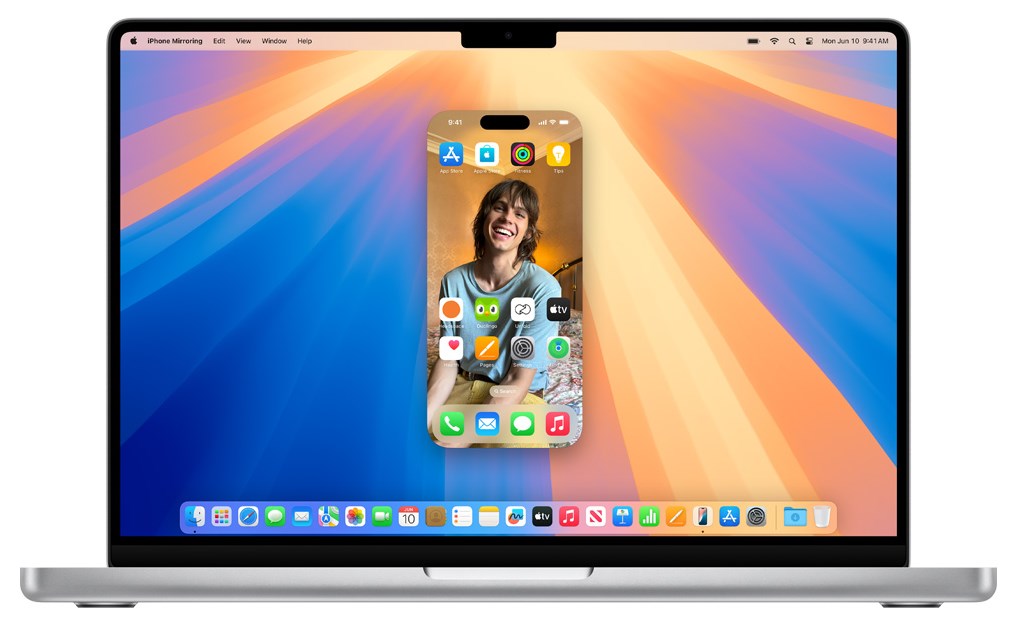
Android has supported this feature for a long time, but it's good to see Apple add it for iOS/macOS. iPhone Mirroring will also allow users to drag and drop files between devices easily.
Live audio transcription, Math expressions in Notes
The Notes app can now be used to record audio sessions. It generates live audio transcriptions for the notes, which you can use to search for content, or add it to other documents.
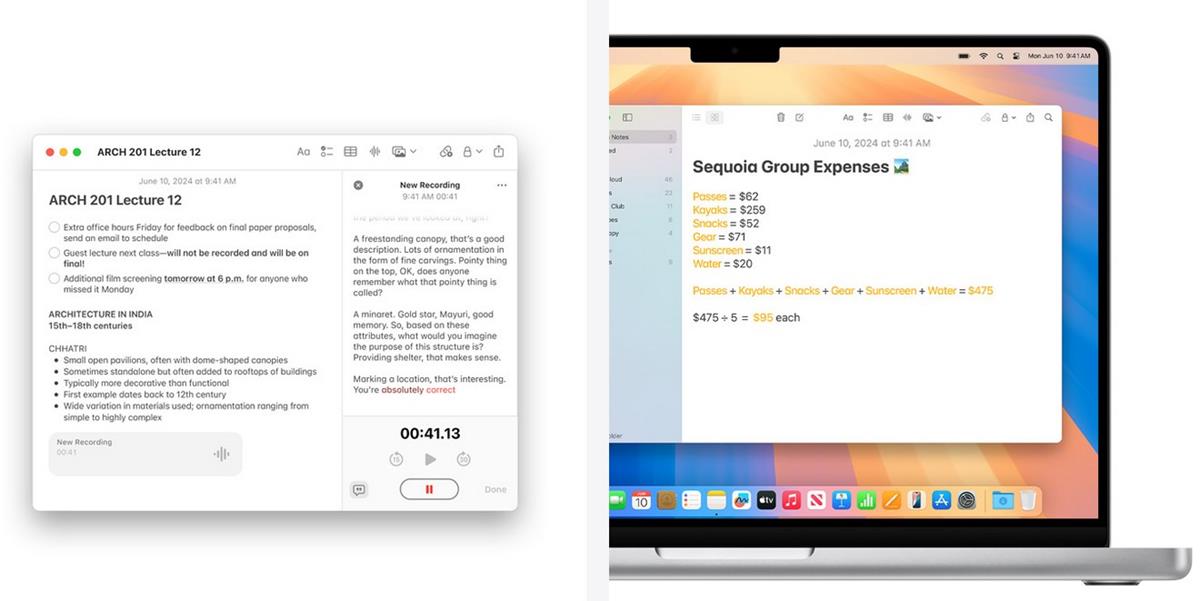
Notes will solve math expressions inline when you type an equals sign. It can be used to assign variables and evaluate expressions. Section headers can be collapsed to make notes easier to read, and you can highlight important sentences with colors.
Window Tiling
Apple has added support for Window Tiling in macOS 15 Sequoia . This allows you to snap app windows in different places on your screen, such as snapping a window to the left or right side of the screen. When you place an app on a location, macOS will automatically suggest a tile location for other apps. This will let you use multiple apps simultaneously. You can also use keyboard shortcuts to arrange your app windows.
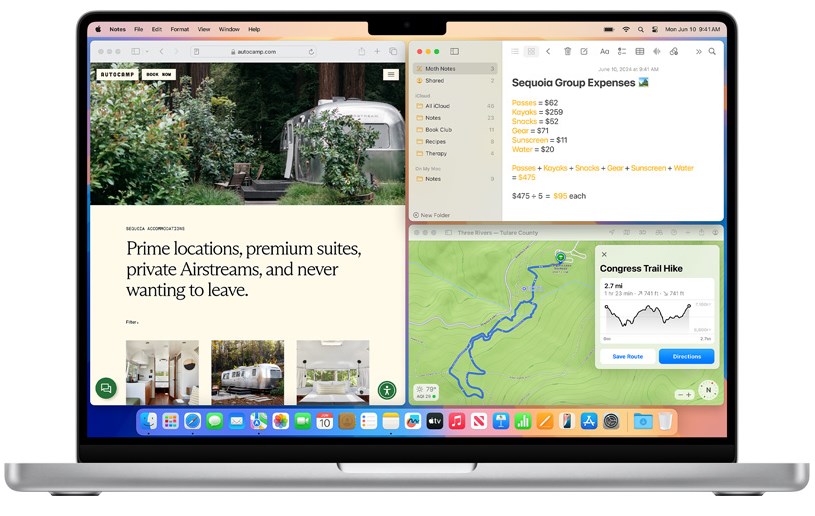
Window Tiling could potentially disrupt third-party apps like Rectangle, Magnet. But such apps offer more functionality. Besides, these apps are the only way to get window tiling on older Macs that cannot run Sequoia, so I think they may continue to be developed.
Safari - Highlights, Reader, Viewer
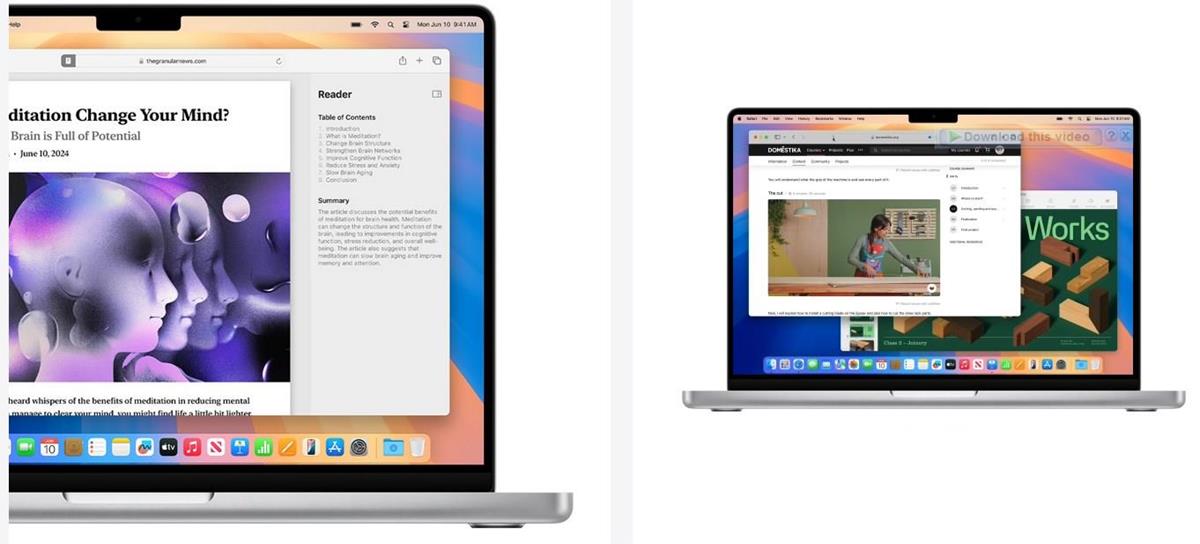
The new Highlights feature in Apple's Safari browser uses machine learning to automatically detect relevant information on a page, and highlight it in a pop-up panel. It can display information like directions, summaries, quick links to learn more about people, music, movies, and TV shows.

The new Reader mode not only removes distractions on a web page, but also places a table of contents and high-level summary of the article on the page. Safari's Video Viewer lets you switch to a video mode quickly to watch content without distractions. Clicking away from the Viewer automatically switches to picture-in-picture mode.
Passwords app
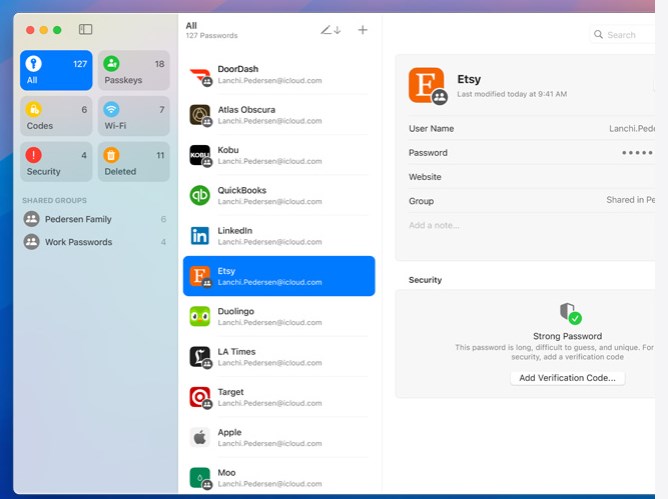
The new Passwords app allows you to create secure passwords for your accounts, store existing credentials, verification codes, Passkeys, and use them to login quickly on websites. Passwords are synchronized across your devices. It supports Autofill. The Passwords app is available on macOS, iOS, iPadOS, Vision OS, and even on Windows with the iCloud for Windows app.
macOS 15 Sequoia also supports Text Effects, Emoji Tapbacks, Send Later in Messages, Apple Intelligence, topographic maps in the Maps app, Reminders in Calendar, the redesigned Photos app and more. These features are also available in iOS 18, so don't forget to read our previous coverage of the new stuff.
List of Macs compatible with macOS Sequoia
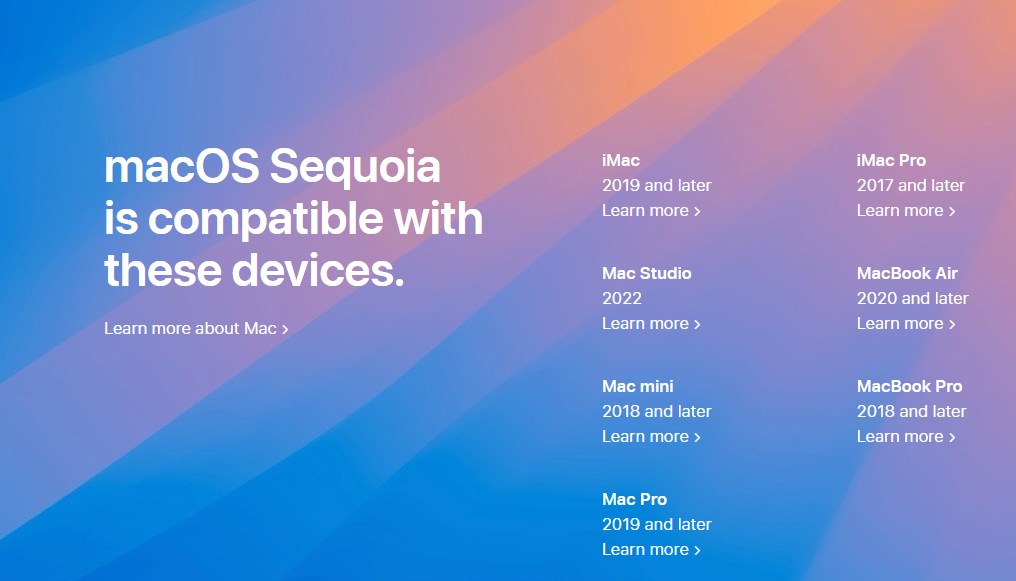
macOS 15 Sequoia is compatible with the following devices.
- iMac 2019 and later
- iMac Pro 2017 and later
- Mac Studio 2022
- MacBook Air 2020 and later
- Mac mini 2018 and later
- MacBook Pro 2018 and later
- Mac Pro 2019 and later
Learn more about macOS 15 on Apple's website. The final release will be available for users this fall.
RECOMMENDED NEWS

WhatsApp for iOS adds support for Passkeys
WhatsApp has announced that it is rolling out Passkeys support on iOS. The Meta owned messaging com...
iOS 18 announced with Apple Intelligence, ChatGPT in Siri, Passwords app, Photos and Messages improvements
Apple has officially announced iOS 18 beta, along with the beta versions of iPadOS 18 and macOS Seq...

Google Chrome: security update fixes 38 issues, including one that is actively exploited
Google released security updates for Google Chrome on various platforms today. The update fixes a t...
Find out if an USB device is fake with free ValiDrive app for Windows
Fake USB devices continue to be a problem. These devices claim to have higher storage capacities th...
The Windows security updates for February 2025 are now available
The February 2025 security updates for client and server versions of Windows and other Microsoft pr...
Star Wars: Zero Company officially announced; turn-based tactics game set during the Clone Wars
Star Wars: Zero Company has been officially announced by Electronic Arts. The game is developed by ...
Comments on "macOS 15 Sequoia announced with Window Tiling, iPhone Mirroring, Passwords app and more" :