Dear Microsoft, why cannot I uninstall Microsoft Edge on Windows?
It is April 2024. The deadline for compliance with the Digital Markets Act was in March 2024. Still, even with all the latest updates installed, I cannot uninstall Microsoft Edge from any of my devices.
I tried on one Windows 10 system and three Windows 11 PCs. I even fired up a virtual machine just to see if it would make a difference. Nada.
According to Microsoft, customers from the European Economic Area should be able to do so. Whenever I check Microsoft Edge in the Settings app on Windows 10 or Windows 11 devices, I get a grayed out uninstall button. I double-checked to make sure that the latest Windows updates are installed.
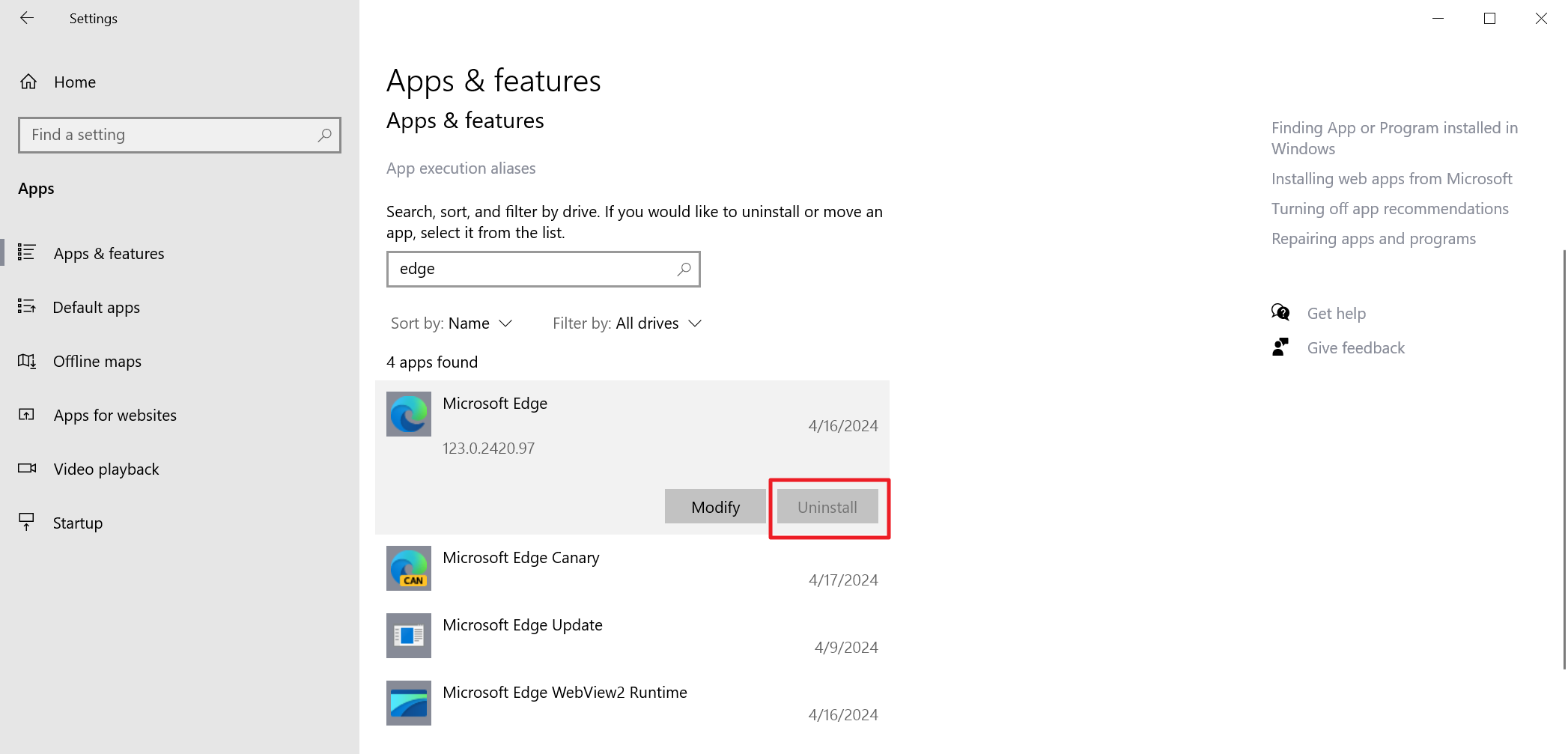
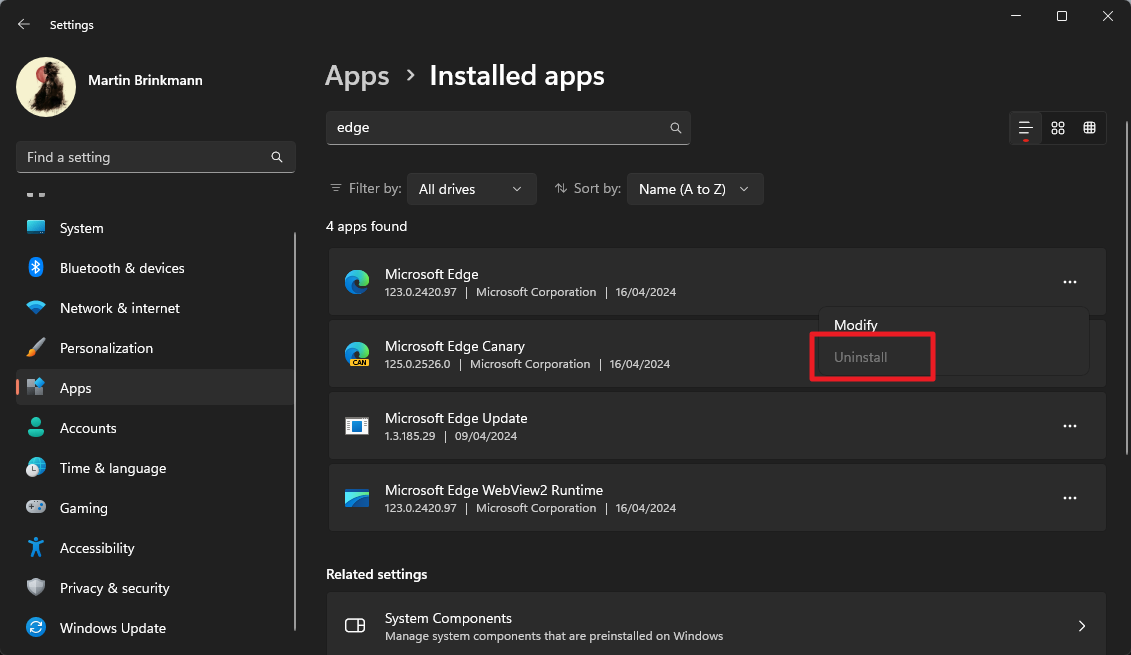
How can this be? Last time I checked, Germany is a member state of the European Union. Microsoft even confirms that it planned to roll out the changes to all customers in the European Economic Area by early April".
It wrote: "Throughout March we will increase the number of PCs in the rollout, while closely monitoring for any quality issues. Our plan is to deliver and enable our DMA changes for all PCs in the EEA by early April. After the update is applied, a restart is required to fully enable the changes."
Microsoft has not updated the post on its website. The most likely explanation is that the rollout is still not complete and that it is controlled on the server side. Since there is no official update, it is unclear if that is the case. It could also be a bug affecting some systems.
There are ways to remove Microsoft Edge. This requires running a command from an elevated PowerShell terminal window. Users who really want Edge gone can resort to these options.
Microsoft did promise, however, that Edge could be uninstalled just like any other regular app on the system.
Closing Words
Most Windows users in the EU and EEC will probably remain unaware of the option that Edge can be uninstalled (eventually). The uninstallation can lead to a cul-de-sac situation. If Edge is the only browser, there is no apparent option to install another browser. With Edge gone, there is seemingly no option to install a different browser.
Windows users who run into the issue may want to fire up the command prompt and use winget to install a different browser. The command winget install Mozilla Firefox installs Mozilla's Firefox web browser on the device. You can also use it to install other browsers, e.g., chrome.
What about you? Can you remove Microsoft Edge or have done so already?
RECOMMENDED NEWS
Apple introduces Stolen Device Protection for iPhone with iOS 17.3 beta
Apple has released the first beta of iOS 17.3 beta to testers. It brings an important security feat...

Brave Browser 1.62: strict fingerprinting protection and HTTPS Everywhere changes
Brave Software released a new stable version of Brave Browser earlier today. Brave Browser 1.62 is ...

Mozilla released a Firefox Nightly test build with vertical tabs
Mozilla released a Firefox Nightly test build recently that includes support for vertical tabs. Thi...
How Stellar Data Recovery Can Save Your iPhone Memories
Imagine waking up one day to find that all your cherished memories—those candid photos from your la...

Thunderbird 128 Nebula: almost there, four channels and ESR
The Thunderbird team continues its work on the next big version of the open source email client. Th...
Microsoft 365 prompts urge users to back up files to OneDrive
Microsoft is set to roll out new prompts in its Office apps including Word, PowerPoint, and Excel, ...
Comments on "Dear Microsoft, why cannot I uninstall Microsoft Edge on Windows?" :