KeePass 2.56 released: options search and history improvements
The developer of the free password manager KeePass has released version 2.56 of the Windows application. KeePass is a local password manager by default; this means that it does not require a cloud account or cloud connectivity. It is possible to use sync functionality, but this is completely optional.
The release comes less than a week after the release of KeePass 1.42, which you can read about here.
KeePas 2.56 is provided as a portable version and installer. Note that Windows may throw a SmartScreen warning, which users may want to ignore, as it is a false positive.
KeePass: new features
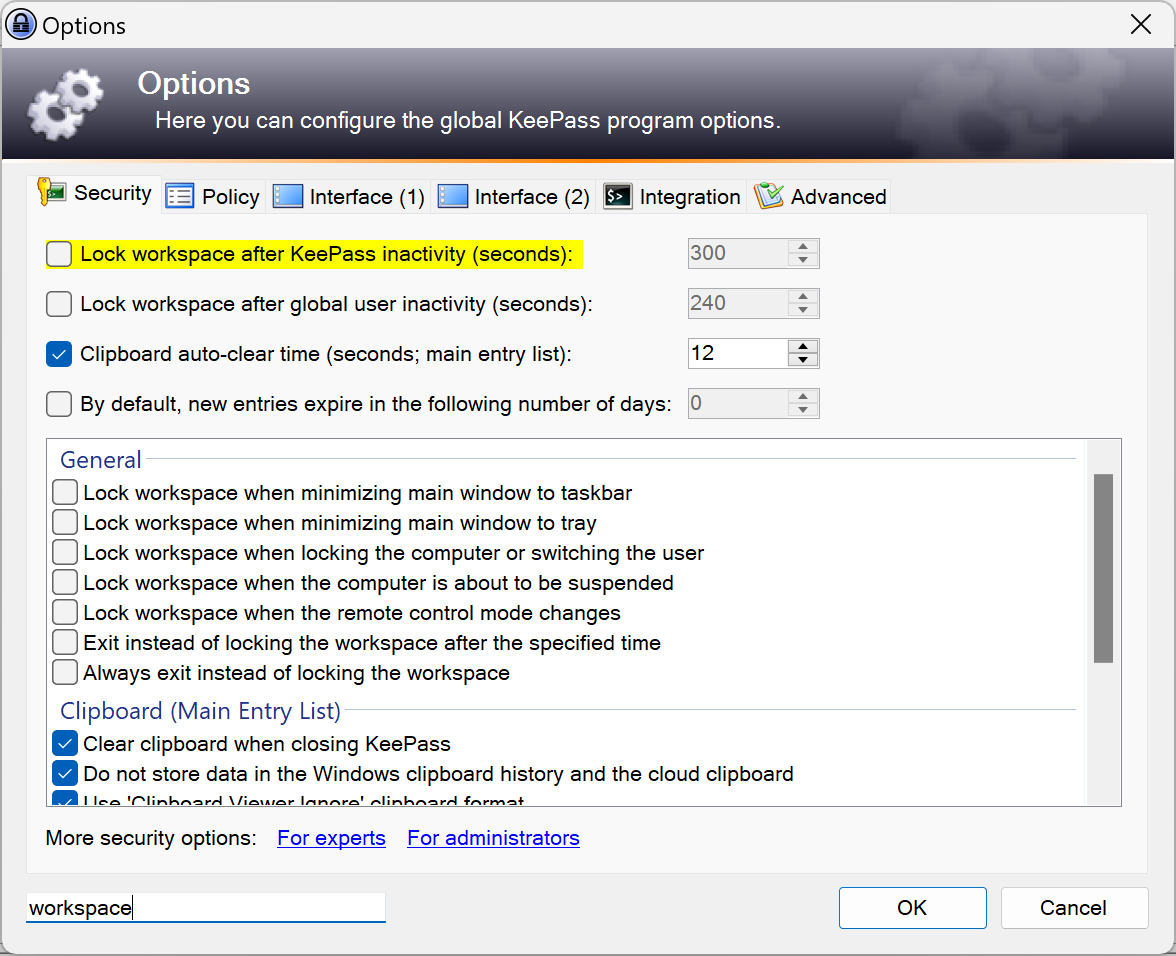
One of the new features of KeePass 2.56 adds a search to the preferences of the application. You find a new search field at the bottom of the options interface. Use it to find matching entries in the options.
The search highlights the first matching entry while you type. Use the Enter-key to jump between matching items. Note that the search feature does not highlight the number of found entries. This is not a huge issue, as KeePass does not have thousands of options. Still, listing the total number of found entries and the number of the current entry would be useful.
The second new feature improves the password manager's History feature. The history tab of a selected password displays detailed information about changes to the entry. It reveals when a password has changed and even includes a compare option to compare the data side-by-side.
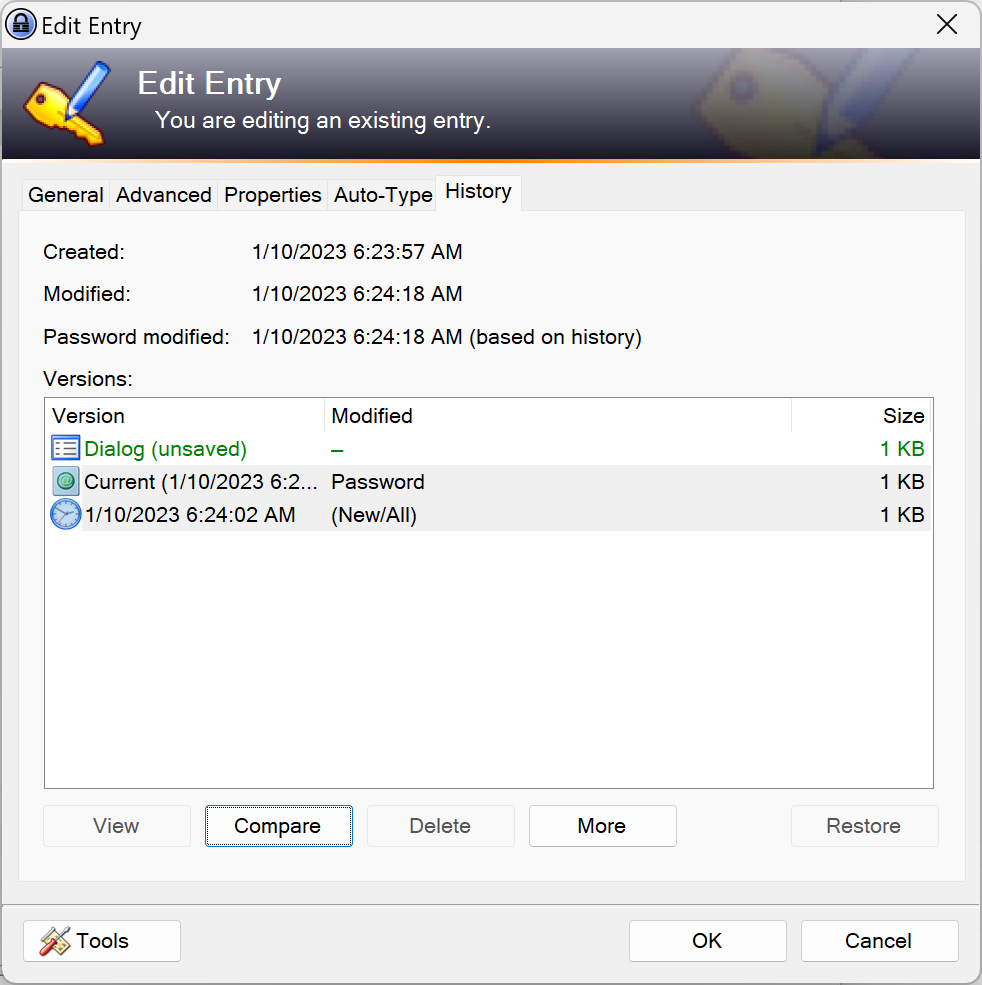
Tip: to compare two entries, select them both by holding the Ctrl-key and clicking on them. The compare button becomes active once you have selected two entries.
The history interface features a new "more" button. This button includes two options. The first allows you to select all history entries. You may also do that using the keyboard shortcut Ctrl-A.
The second deletes all historic entries. The current data set and any unsaved data sets remain available. All past records are removed, however.
The program's history is useful, as it allows you to check previous passwords and other data, for instance after merging two KeePass databases.
Several smaller improvements are also introduced in the new release. The password manager's process memory protection has been improved. The same has been done for "some report dialogs" according to the official release notes.
Check out the full release notes here for other changes in the new KeePass version.
Closing Words
KeePass is an excellent password manager, especially if yo want a local password manager with optional sync functionality. Some users may be deterred by the program's ancient looking interface. If you look beyond that, you get a powerful password manager that is quite extensible as well, if you want.
You may read about one of these features, KeePass' global login shortcut, here.
Now You: which password manager do you use?
RECOMMENDED NEWS

Windows Mixed Reality is History
After having added three features to its deprecation list in December 2023 already, Microsoft has a...

Adblocker for TV - AdGuard is available for Android TV: here is how it works
AdGuard is a popular commercial content blocking solution. It is available for a wide range of plat...

Winamp source code released, but developers criticize its restrictive license
The legacy media player, Winamp, has gone open source. But the license has come under fire from the...
Microsoft releases the November 2024 security updates for Windows
Microsoft released the November 2024 security updates for all supported client and server versions ...

Microsoft Unveils New Surface Laptops With 22-Hour Battery Life and AI Power
Microsoft has announced the latest additions to its Surface lineup, unveiling new Surface Pro and S...

US and UK Decline to Sign Global AI Declaration at Paris Summit
At the recent AI Action Summit in Paris, both the United States and the United Kingdom opted not to...
Comments on "KeePass 2.56 released: options search and history improvements" :