FastStream's custom video player replaces YouTube's player with a better one
FastStream is an open source browser extension for Google Chrome and Firefox that replaces native video players with its own advanced video player. The extension promises the end of buffering issues, support for sites beyond YouTube, more audio and video controls, and much more.
The extension is available in the official stores. The Firefox extension includes video download capabilities, the Chrome extension only if installed manually and not from the Chrome Web Store (as this is prohibited by Google's policy).
The extension requires wide-reaching permissions, as it is designed to run on any website. Some of these may need to be given after installation, but the extension remind you of the fact when you try to run it.
A click on the extension icon replaces the site's video player with its own. You can auto-enable the switching of the player in the extension's options. Good if you want to use it permanently on a site.
The FastStream video player offers advanced functionality. It uses parallel downloads to improve buffering of videos. The player supports precise previews when you hover over the video timeline, something that most players don't support.
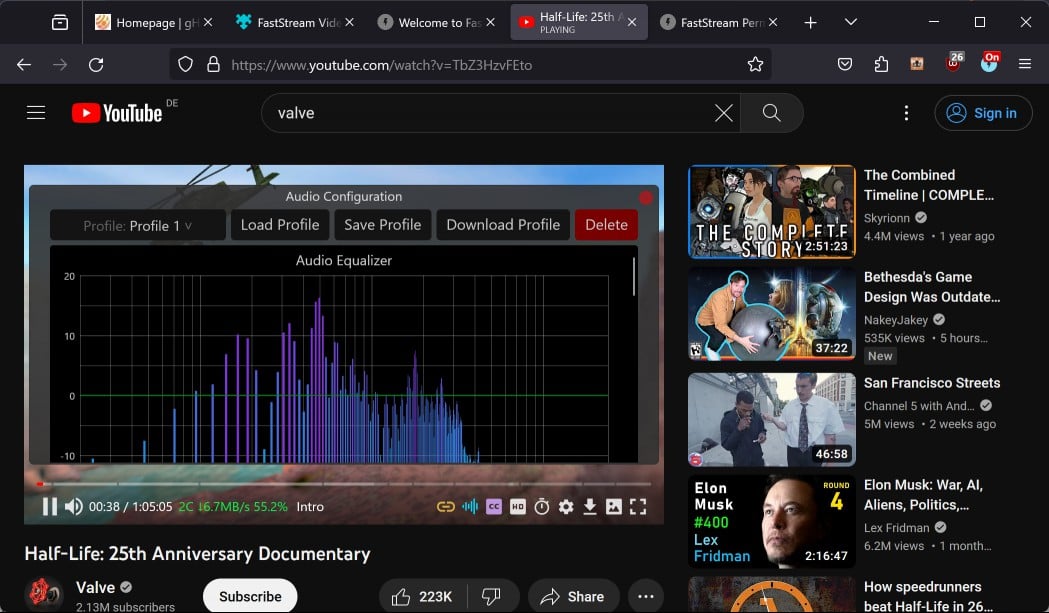
You may notice a few new icons in the player interface; these lead to advanced options of the player. A click on the audio icon opens an equalizer, compressor and channel mixer. Here, you may customize audio output and save configurations as profiles, which you may load at any time in the future.
The interface of the video player has more to offer. There is the download button, which allows you to save the entire video or part of it to the local system. The screenshot button captures a still of the video, and there is a link to Settings, which opens up other preferences that you don't find attached to the player directly.
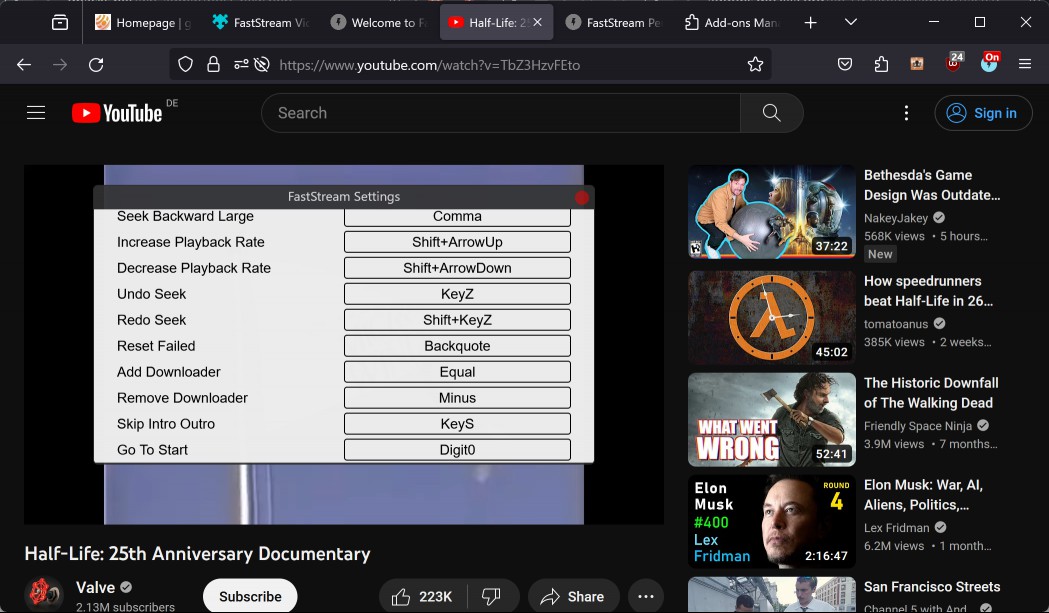
Here, you may change image related parameters such as brightness, contrast or saturation, check and configure shortcuts, and set default behavior.
The player supports dozens of keyboard shortcuts, for example, to change the volume, seek, skip identified intros or outros, go back to start and many more.
Verdict
FastStream replaces video players on many sites. It is still up to the user to enable it on sites or configure auto-enable in the options. The developer notes that the player doesn't work on DRM-protected videos and that this is by design.
Other than that, it should work fine on most video sites out there. Core benefits of using FastStream including improved streaming and buffering, additional keyboard shortcuts to control playback, advanced audio and image controls, and much more.
It is worth a try if you run into issues on certain sites, or want more control over playback on sites that you watch videos on. Examples may include making videos brighter, boosting the volume up to 300% or gaining access to keyboard shortcuts to control playback using the keyboard.
Now You: do you use video extensions?
RECOMMENDED NEWS

Mozilla released a Firefox Nightly test build with vertical tabs
Mozilla released a Firefox Nightly test build recently that includes support for vertical tabs. Thi...

Microsoft is testing new features in Windows Recall: Screenray and Topics
It appears that Microsoft is not yet done with Recall. The A.I. tool, which was postponed due to so...
Safeguarding Your Memories: Tackling Video File Corruption
You've just returned from an unforgettable vacation, and you're eager to relive those moments throu...

Here's a closer look at Rewrite AI in Notepad
Microsoft has introduced an AI feature in Notepad that can help you rewrite text. Say hello to Rewr...

Android 16 Beta 1 is out: here is what is new or changing
Google released the first beta version of this year's Android release, Android 16, today. With Andr...

Latest Windows 11 build offers a solution for crammed taskbars
Microsoft changed the taskbar in Windows 11 in several significant ways. From the new centered defa...
Comments on "FastStream's custom video player replaces YouTube's player with a better one" :