Google Chrome to display "choose your search engine" prompt
Google Chrome users will soon get a "choose your search engine prompt" when they start the desktop web browser. This prompt allows them to select a search engine out of several ones popular in the user's region.
The change is not global, but will roll out in early 2024 to Chrome users from the European Union and European Economic Area.
Google displays such a prompt on Android already. The desktop prompt uses similar mechanics.
When Chrome users launch the browser, they get an overlay on the screen that prompts them to select the default search engine of the browser.
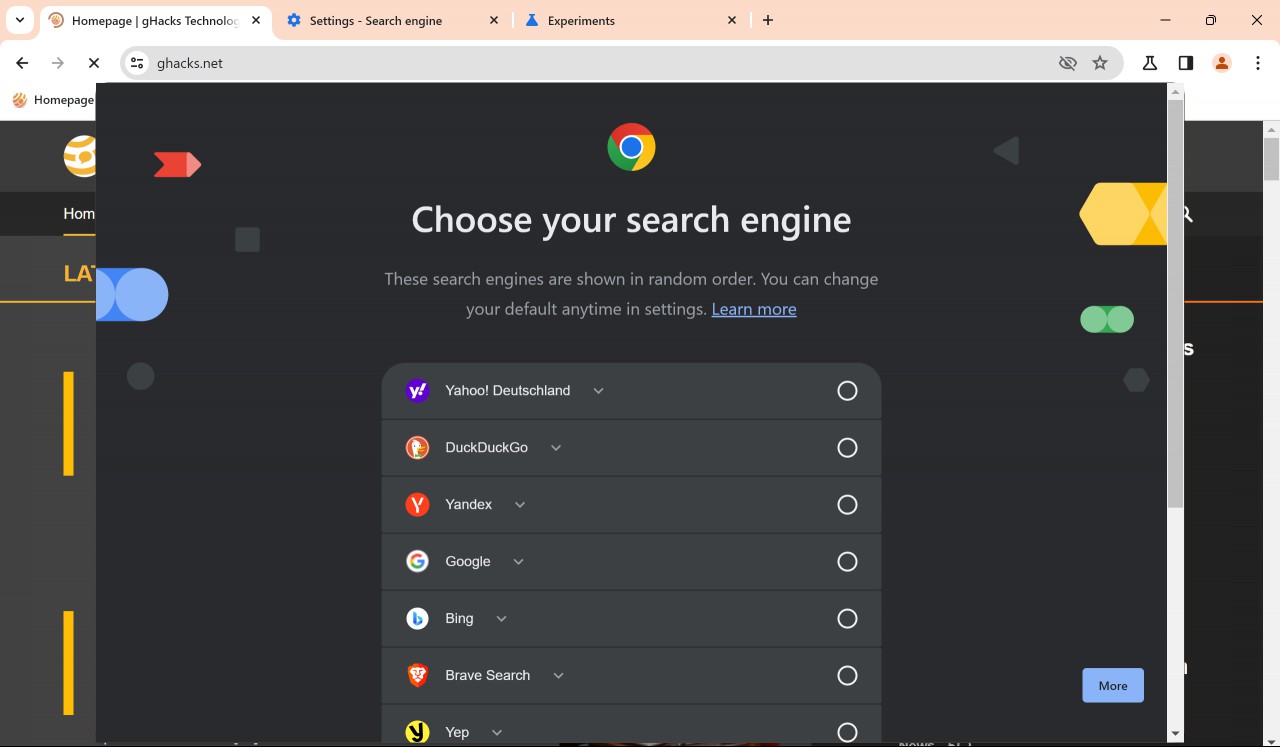
This search engine powers core functionality of the web browser, including address bar searches. Google picks a selection of popular search engines of the user's region and displays them in random order.
The list contains a large number of search engines. You find major search engines like Google Search, Bing or DuckDuckGo on the list, but also smaller ones, like Brave Search, Yep or Qwant. The list may vary by region though.
Chrome users may click on the "learn more" link to find out more about the choice that they make. Here is how Google describes it:
Your search engine in Chrome
Based on a law in your region, Chrome asks you to choose your default search engine. These search engines are popular in your region and are shown in random order.
Your default search engine lets you search the web and powers Chrome features like searching from the address bar and from images on web pages. A feature might not be available if your search engine doesn’t support it.
You can change your search engine anytime in Chrome’s settings.
Chrome users have to make a choice to use the browser. Google does not highlight the current default search engine, which is only of interest to existing Chrome users who get the prompt.
A click on the "set as default" button makes the selected search engine the default in Chrome.
Change the default search provider in Chrome
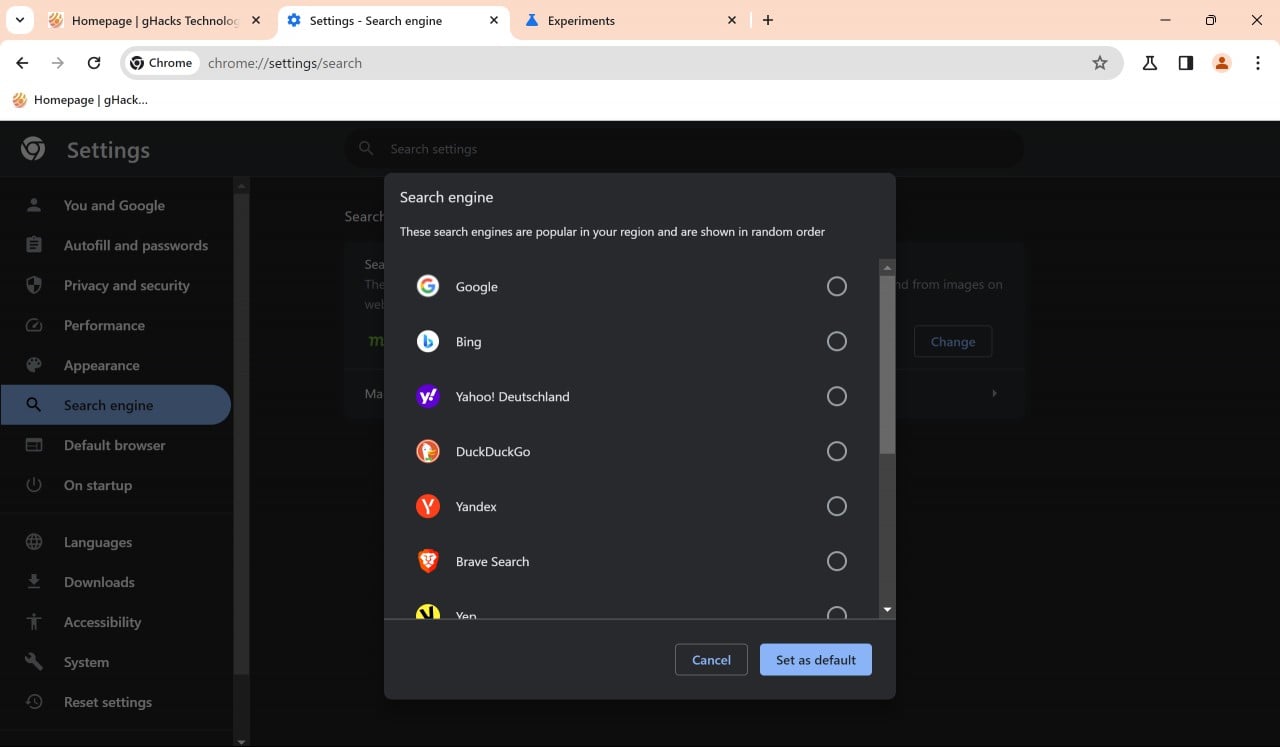
Note that you may change the search engine at any time in the Chrome Settings. Here is how that is done:
- Load chrome://settings/search in the address bar of the Chrome browser.
- Activate the change button next to the default search engine listed on the page.
- Select a search engine from the list of options.
- Confirm the change with a click on "set as default".
Tip: Chrome picks up search engines automatically when you use them for the first time, provided that they use a certain standard. If your favorite search engine is not listed by Chrome, try running a search using it and then loading chrome://settings/searchEngines in Chrome. It should be listed there under "inactive shortcuts". Select Activate and then the three-dots next to it to make it the default search engine in the browser.
Forcing the browser choice screen to appear
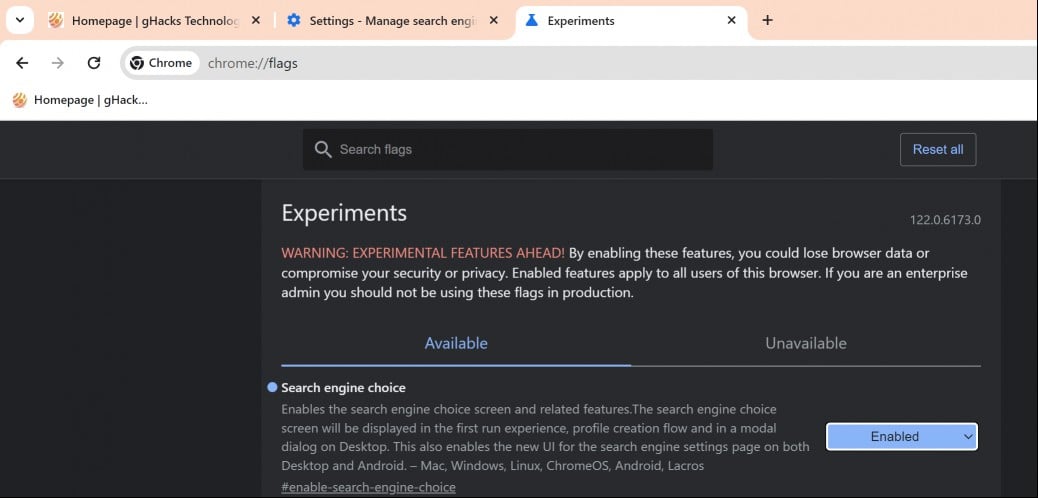
The browser choice screen is displayed in Chrome Canary only at the time. It will take weeks or even months before it lands in Chrome Stable.
Google controls the feature with a flag, which you may enable or disable n Chrome Canary already.
- Load chrome://flags/#enable-search-engine-choice in the Chrome address bar.
- Set the flag to Enabled. If this does not work, set the flag's status to Enabled - with forced EEA country.
- Restart Chrome.
Chrome should display the browser prompt now.
Closing Words
Google is not the only lobal player that is improving the user-friendliness of its products in the European Union and European Economic Area. Microsoft is giving Windows users in those regions more control over the operating system in April 2024. This includes options to remove Microsoft Edge and Bing Search among other things.
Now You: which search engine would you select?
RECOMMENDED NEWS

Google Chrome will soon prevent malicious websites from attacking your home network
Google Chrome is getting a new security feature that can help prevent websites from attacking your ...

Windows 11 Government Edition is what everyone wants, but there is a catch
A new edition of Windows 11 has been making the rounds over the weekend. Called Windows 11 Governme...

Thunderbird 128 Nebula: almost there, four channels and ESR
The Thunderbird team continues its work on the next big version of the open source email client. Th...

Brave Search introduces AI follow-up questions - here is how it works
I have used Brave Search ever since it was first introduced as one of the search engines that I use...

Cybersecurity Alert: Users Deceived By Fake Google CAPTCHA Pages
In a significant security alert, cybersecurity firm CloudSek has unveiled a sophisticated phishing ...
Windows 11: Security-feature VBS Enclaves is being deprecated on some systems
Microsoft announced the deprecation of the security feature VBS Enclaves today for earlier versions...
Comments on "Google Chrome to display "choose your search engine" prompt" :