Microsoft Family Safety is blocking Google Chrome, but there's a workaround
If you are having trouble with Google Chrome crashing or not opening, Microsoft Family Safety may be the reason why. Here's what happened.
The Verge says that the problem began in early June, with first reports dating back to June 3. Most users say the same thing, Chrome crashes after a few seconds, and does not restart, or does not open at all. There are a dozen or reports about the issue on Reddit, Microsoft and Google support forums. The issue seems to have started with Chrome 137.0.7151.69. And it doesn't appear to be limited to Windows, some users say that Chrome didn't open on Android, macOS, too. Annoyingly, there was no error message associated with the crashes. This had led to some confusion as some users began to worry if their PC had been infected by some malware.
However, one user, possibly an IT person, reported they had several students report that Chrome was crashing, but some of them had seen a message "You need to ask permission to use this app". Another user discovered that it was Microsoft Family Safety causing the problem, specifically, the web filtering options that were enabled under Windows Family Parental Controls. Among other things, it is used to prevent access to adult content, harmful websites, manage screen time, track online activity. It is also used by Schools to restrict access to harmful content, so you can imagine how many students couldn't access Chrome because of this problem.
According to a discussion among Chromium engineers, the issue caused a 2.5x surge in Chrome uninstall rates on June 3rd, but eventually normalized on June 7th. It probably means that users uninstalled Chrome and tried reinstalling it to see if it fixed the problem. Unfortunately, Google couldn't fix the problem, since this was controlled by a Microsoft setting, and the latter has not provided a fix.
As a workaround, Microsoft is advising parents to make the following change in Family Safety.
1. Go to https://familysafety.microsoft.com or open the Family Safety mobile app.
2. Select the child's account.
3. Disable “Filter inappropriate websites” under the Edge tab, or Go to Windows tab ? Apps & Games ? unblock Chrome.
This will allow Chrome to run, but the downside to this is that the child could access any website without restrictions.
Many users have criticized Microsoft for not fixing the problem, some say that it is not to be blamed, and in fact the safety feature is functioning as intended by blocking access to other browsers. When Edge works perfectly, but Chrome doesn't, you can hardly fault the users for jumping to conclusions whether this was by design, especially given Microsoft's shenanigans to promote Edge. Some users were able to rename Chrome.exe to Chrome1.exe to bypass the problem. That's sneaky, but this also points out the fact that the parental control feature is not perfect. There are also a couple of reports that say the issue does not seem to affect other browsers.
There is speculation that the problem was related to Microsoft's web filtering not working on unsupported browsers, this was broken for a long time, and was fixed recently. This fix apparently broke Chrome. This thread on Microsoft Defender for Endpoint has some comments about web filters breaking on Chrome around June 3rd. Surely it can't be a coincidence?
RECOMMENDED NEWS

Windows Utility WinUtil is a one-stop shop to customize Windows
Windows Utility, short WinUtil, is a popular open source customization tool for Microsoft Windows d...

How to Rescue Corrupted Photos: Causes, Prevention and Solutions with Stellar Repair for Photo
Imagine opening an important photo and getting just a garbled mess of pixels where your memory shou...

Amazon Raises Music Unlimited Prices—Here’s How Much You’ll Pay Now
Amazon has announced a price increase for its Music Unlimited streaming service in the US, making i...

Apple’s New iPhone SE Brings Big Changes—And It’s Coming Soon
Apple is preparing to launch the next-generation iPhone SE, and this time, it’s bringing significan...
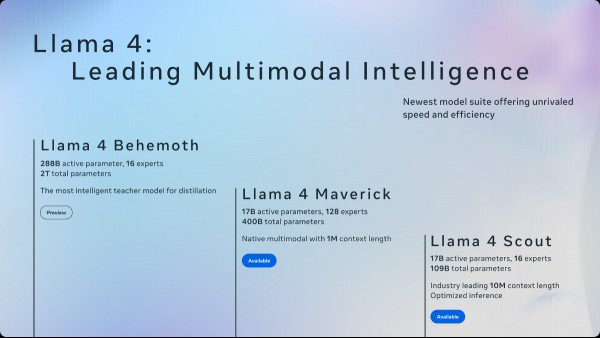
Meta launches Llama 4 with three new AI models: Scout, Maverick, and Behemoth
Meta has unveiled its latest advancements in its Llama series. The upgrades for Llama 4 bring three...

Microsoft warns: Office 2016 and 2019 reach end of support in October 2025
Microsoft Office 2016 and Office 2019 reach end of support on October 14, 2025. That is the last da...
Comments on "Microsoft Family Safety is blocking Google Chrome, but there's a workaround" :