Apple releases iCloud Passwords extension for Firefox, but only for macOS Sonoma
Apple has finally released the iCloud Passwords extension for Firefox, well over a year after it was launched for Chrome and Edge. But, there is a catch.
iCloud Passwords extension for Firefox is a macOS exclusive
I was really excited when I heard the news and installed the add-on to test it on my Windows laptop. When I clicked on the button to access it, a pop-up said, "The iCloud Passwords extension is compatible with macOS Sonoma or later." And the extension's page on the AMO mentions that it is not available for Windows at this time. Oh, well. It doesn't support Linux either.
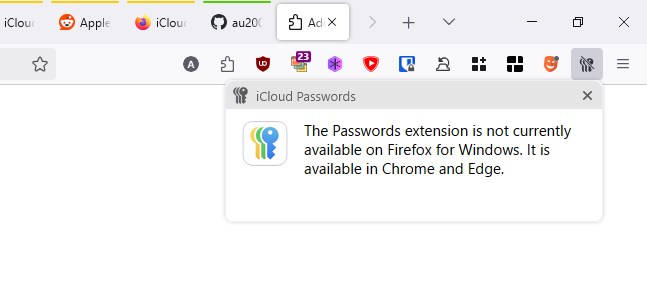
The pop-up also mentions that the add-on is available for Google Chrome and Microsoft Edge on Windows. It's kind of silly to promote those versions via the Firefox extension, I suppose it is there to educate users about options they could consider.
Why is the iCloud Passwords extension for Firefox exclusively available for macOS Sonoma 14, and not on Ventura, or Monterey? I'm guessing it has something to do with the new Passwords app that debuted with Sonoma, it's a pretty impressive app that has additional options for generating and managing passwords that are not available in older versions of iCloud Keychain. Some users may prefer using Firefox on their Mac instead of Apple Safari, so the iCloud Passwords extension can be really invaluable for such users.
But, it is likely that there are a lot more users who have an iPhone or iPad and a Windows PC, than those with an iPhone/iPad and a Mac. I hope Apple will eventually add support for Firefox on Windows in the future, just like how Apple Podcasts on the web was updated to support Mozilla's browser.
What's interesting is there has been no official word about the Firefox add-on from Apple. Here's more. The Cupertino company has taken over the iCloud Passwords extension from a third-party developer called Aurélien. The GitHub repository of the old add-on now states that the ownership of the extension's listing has been transferred to Apple Inc, and that the GitHub page is no longer related to the new version.
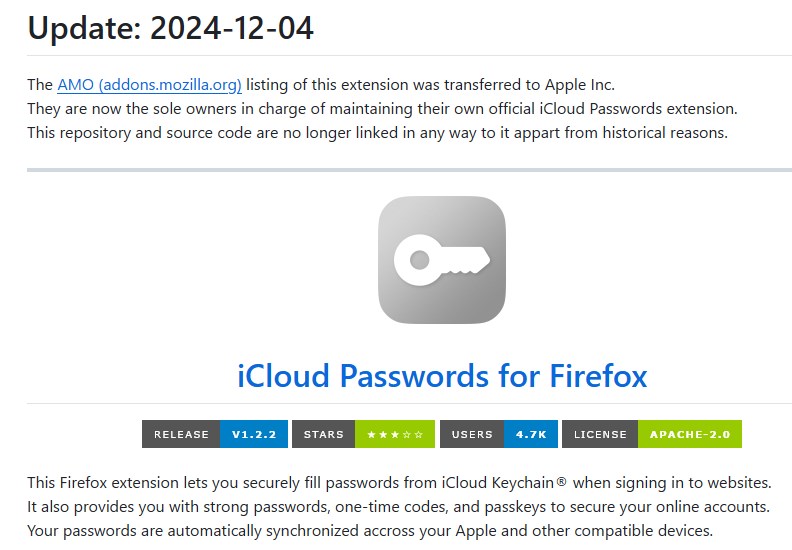
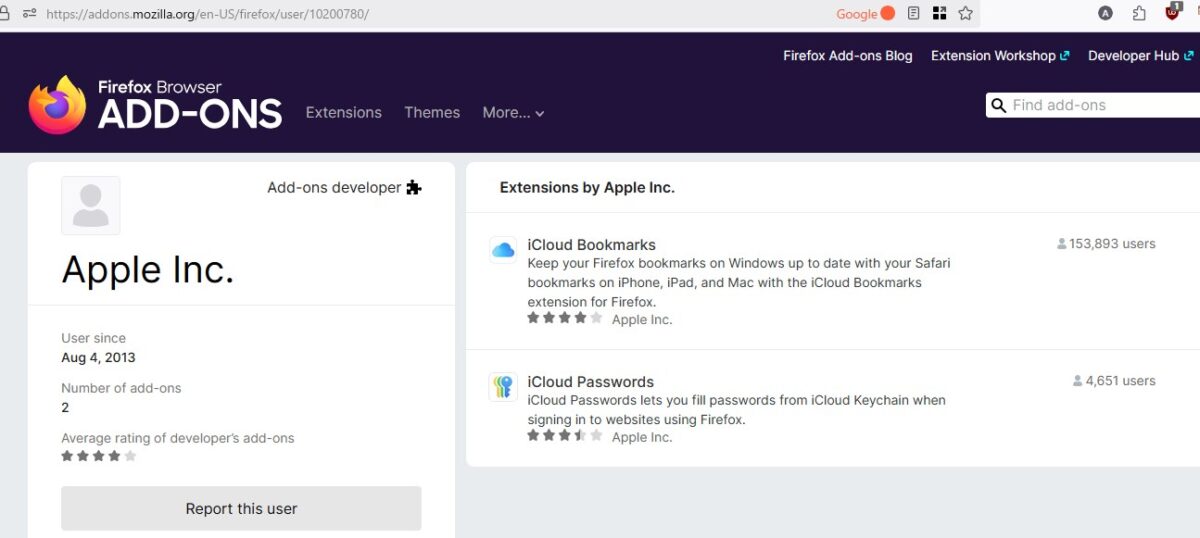
Wait, if Apple hasn't confirmed this, how do we know it's legit? Just access Apple's developer account page on the AMO, and you will see iCloud Passwords listed along with the old iCloud Bookmarks extension.
Aurélien further clarified on reddit saying that he handed over the extension's rights to Apple willingly, and chose to do so without receiving any compensation in return. That's a nice gesture. He also explained that Apple replaced his code, which worked in Firefox on all platforms, with their own Chrome extension's code that broke compatibility with Windows. Aurélien reverse engineered the add-on and wasn't pleased to discover that Apple's version was terribly optimized, and uses way more permissions than it should.
Well, that's kind of stupid, ruining the old version and launching it as a "Sonoma exclusive", I suppose this is Apple Intelligence at work. There is a thread at Mozilla Connect where users had been requesting support for iCloud Keychain on Windows for over a year. I'm sure they will be disappointed.
iCloud Passwords extension for Firefox on macOS Sonoma
All things said, I was able to test the extension on my Mac. When you click on the extension, it asks you to enter the verification code from your Apple device. It might seem strange entering the code from your Mac to login on to the same device, but this is probably a security measure to prevent unauthorized access, aka remote logins.
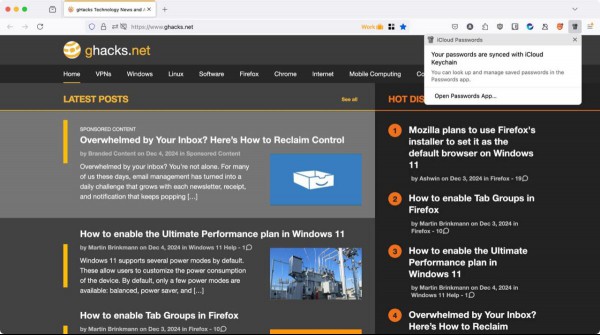
Once you log in through the extension, it prompts you to open the Passwords app. Aha! That's why it doesn't support Windows, or older versions of macOS, and of course, Linux. I wonder if Apple can update the iCloud for Windows app to make it compatible with the add-on.
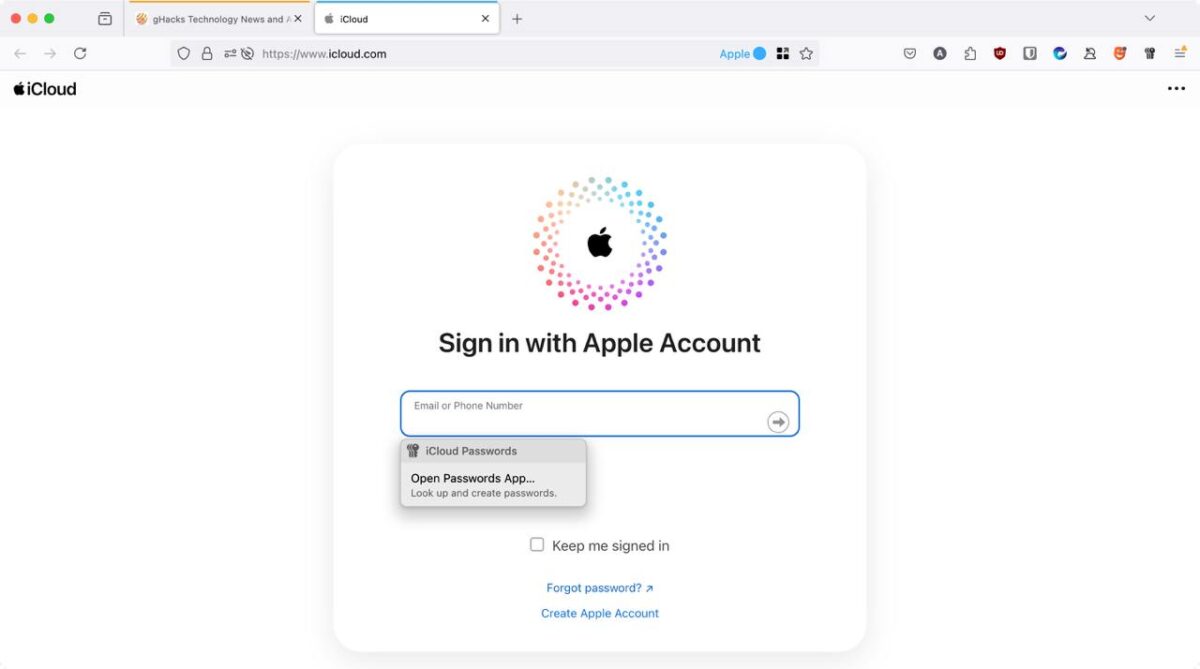
It's fairly straightforward from here on, you just need to visit websites and the add-on will autofill your passwords securely from iCloud Keychain. The plugin syncs your data across your Apple devices, and you can also use it to generate verification codes. You may set up TOTP codes by right-clicking on QR codes displayed in Firefox. That's pretty cool.
RECOMMENDED NEWS
Opera Lucid Mode 2.0 brings refined controls and a comparison slider
About a year ago, I wrote about Lucid Mode in Opera browser. Now, the feature has been enhanced wit...

Bitwarden launches passkeys support in mobile apps for Android and iOS
Users of the password management solution Bitwarden are one step closer to full passkeys support. ...

Avast Free Antivirus: Security Starts with Good Practices
Cybersecurity has become a priority for users of all levels. With the growing number of attacks and...
Microsoft releases the November 2024 security updates for Windows
Microsoft released the November 2024 security updates for all supported client and server versions ...

Google pushing "Ad blockers violate YouTube's Terms of Service" banners on YouTube
It has been almost a year since Google started to implement changes on YouTube to block content blo...
Epic Games says Apple has blocked its Fortnite submission in the U.S. and EU App Stores
A week ago, Epic Games was celebrating its impending return to iOS. But now, it has announced that ...
Comments on "Apple releases iCloud Passwords extension for Firefox, but only for macOS Sonoma" :