Firefox 120.0.1 update fixes issue that caused 100% CPU usage on some sites
Mozilla released the first point update for Firefox 120 some hours ago. This new version addresses several performance related issues, including one that caused 100% CPU usage on sites such as Google Maps.
The new release of the browser is available already. It should be installed automatically on most devices. You may speed up the process by selecting Menu > Help > About Firefox.
Firefox opens a small overlay window. There, you see the current version of the browser. Firefox will run a check for updates and installs the latest version automatically. The page should list Firefox 120.0.1 after the required restart.
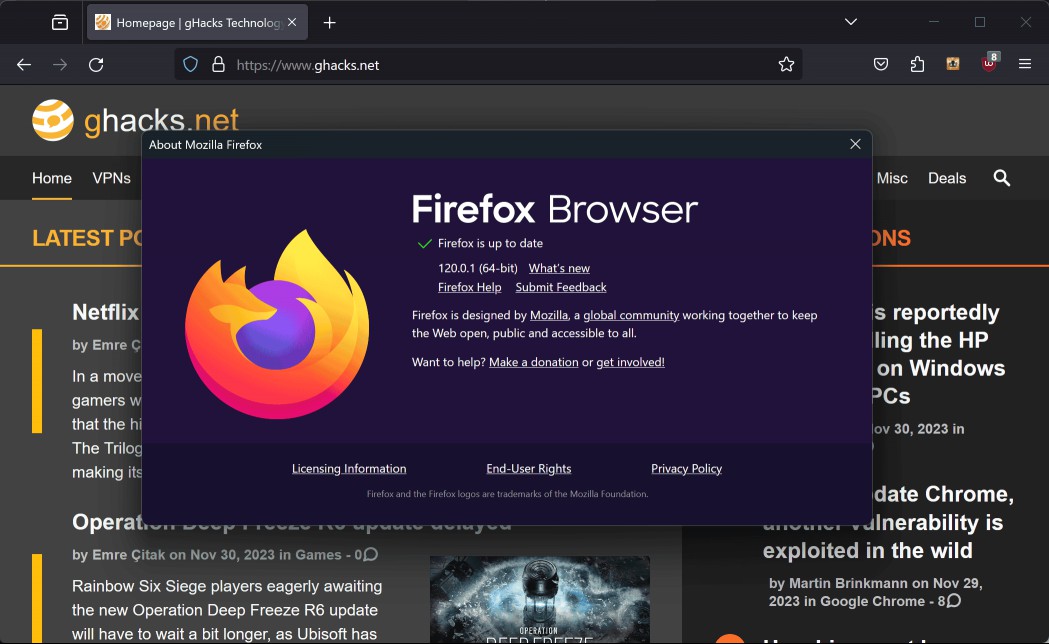
Firefox 120.0.1
Firefox 120.0.1 is a non-security update. It fixes a total of five different issues in Firefox.
Two of the main issues fixed in this release are performance related. The first addresses an issue that caused 100% CPU usage on certain sites, including Google Maps. Users may notice hangs on affected sites as a consequence.
According to the bug report, it was caused by incorrect loop code. You may check out the bug report here for additional information on the issue.
The second performance issue affected the start of the browser. Mozilla notes that a bug caused "persistent startup slowdowns" and that it has addressed this issue in the point release. This issue is caused by a caching issue, that Mozilla addressed in the update. More information is available on Bugzilla.
The three remaining issues are not performance related. The first addresses a startup crash on Linux, but only for some users who use aarch64 systems and only if the page sizes are not 4K.
The second fixes a green screen display issue on the video site YouTube that affects some installations. This was caused on systems with hardware acceleration enabled. Firefox would display a green video instead of the actual video. Turning off hardware acceleration restored the original functionality. Mozilla addresses the issue in the point update for Firefox.
The third and final issue fixes another video related issue. Firefox displayed the status bar in some cases when viewing fullscreen video, which it should not.
Firefox users may want to update the browser asap, especially if they are affected by one or multiple of the fixed issues in the release.
The next major release is Firefox 121, which is also the last major Firefox release of the year.
Now You: do you use Firefox? Did you run into any bugs recently?
RECOMMENDED NEWS

Microsoft will remove old drivers from Windows Update: what you need to know
Support for all sorts of devices has always been a strong feature of the Windows operating system. ...

LogoFail vulnerability affects many Windows and Linux devices
Many commercial computers are vulnerable to a set of vulnerabilities that exploit flaws in the proc...

Spotify Premium prices have increased again in the U.S.
Spotify has announced that it has increased the prices of its Premium plans, again. This is not rea...

Windows Control Panel unexpectedly says that some BitLocker settings are managed by your administrator
Microsoft has confirmed a new bug that is related to BitLocker. The issue impacts Windows 10 and W...

DeepSeek Pulled from App Stores in Italy. Here’s Why
DeepSeek, the Chinese AI company that recently surged to the top of the Apple App Store charts in t...

Microsoft revamps Game Bar on Windows, adds improved cloud gaming capabilities
Microsoft has rolled out a significant update to the Xbox Game Bar on Windows, introducing a more s...
Comments on "Firefox 120.0.1 update fixes issue that caused 100% CPU usage on some sites" :