DuckDuckGo browser now supports password and bookmark syncing across devices
DuckDuckGo browser is now capable of syncing your passwords and bookmarks across devices. You don't need to create an account to use the feature.
Rival browsers such as Google Chrome, Mozilla Firefox, Microsoft Edge, Opera, Vivaldi support sync, but they require signing in to an account. DuckDuckGo's sync system is similar to Brave Browser's Sync Chain, i.e. instead of an account, it stores the data on your devices.
DuckDuckGo says that the data is end-to-end encrypted, and that the decryption is key only stored on the user's device. So nobody can access the bookmarks, passwords, except you. The browser had previously supported importing the data from other browsers. But if you had to set up the browser on multiple devices, you had to do it manually. The new sync feature will automate the process. In addition to passwords and bookmarks, the browser also syncs your Email Protection settings between your devices.
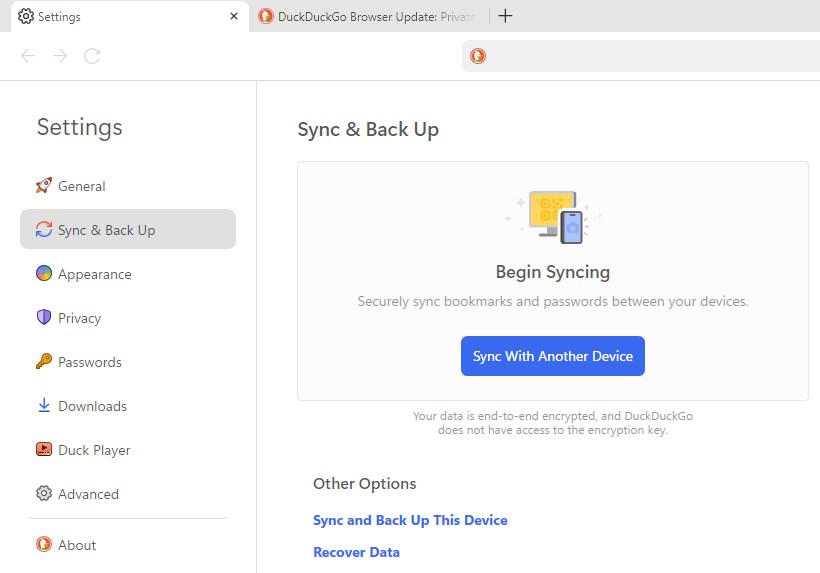
You can use the Sync & Backup feature on DuckDuckGo browser for Windows, Mac computers, iOS and Android phones, tablets.
How to sync bookmarks, passwords in DuckDuckGo browser
1. Open the DuckDuckGo browser on your computer, phone or tablet.
2. Go to the Settings.
3. Select Sync & Backup.
4. Click on "Sync with Another Device".
5. The browser will display a QR code that you can scan with your phone's camera. Alternatively, you can use the view "Text code" (alphanumeric) that you can copy and paste on your device, this can be useful for syncing the data between two computers.
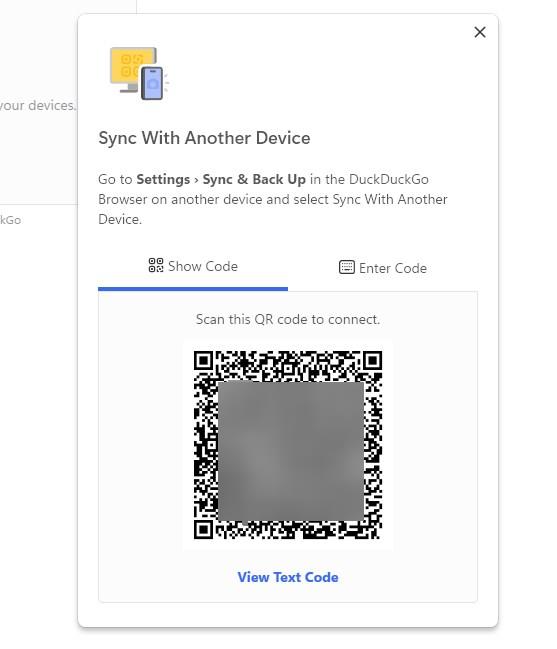
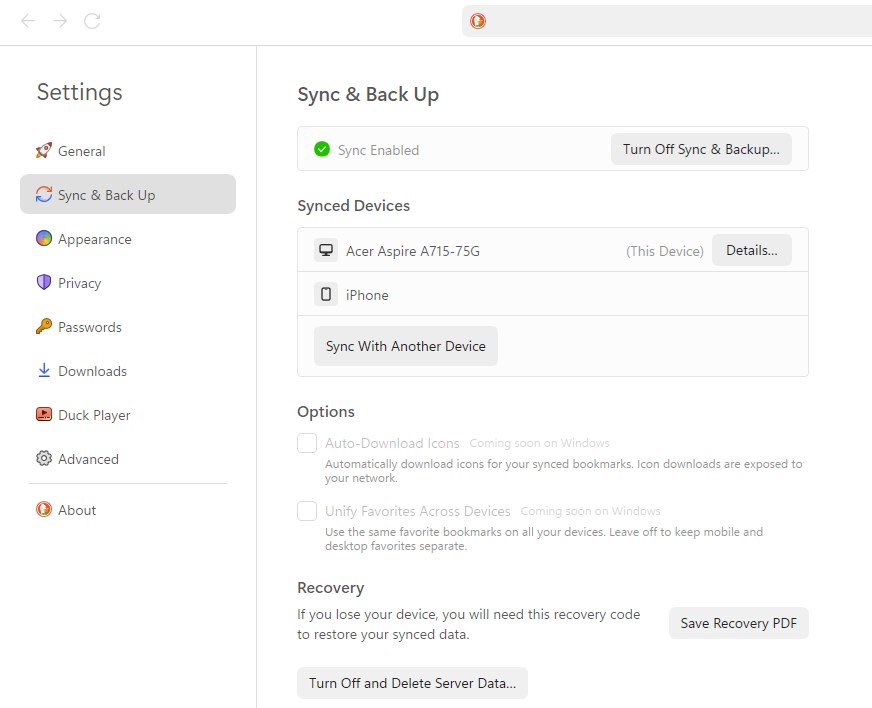
That's it, your data will now be synced between your devices. Whenever you make some changes on your computer, phone or tablet, the change will automatically be reflected on the other devices. DuckDuckGo browser will display a recovery code that you can save as a PDF, or save it as a Text Code. This can be used to recover your data, if you lose your device.
Mobile-specific features
The mobile version of the browser has two special features. DuckDuckGo for Android and iOS supports auto-download of icons for synced bookmarks. The option is disabled by default, because downloading the favicons rely on your network instead of device-to-device synchronization. While your bookmarks are synced between your devices, your favorites are not. You may choose to sync favorites across devices by enabling the option.
The desktop browsers lack the above features, but they are coming soon.
Want to download the DuckDuckGo browser? Go to https://duckduckgo.com/ and click on the menu button in the top right corner, and select Mac or Windows. The Windows version is distributed through the Microsoft Store for Windows 10 (May 2020) or later.
DuckDuckGo browser has come a long way since debuting on macOS in 2022. The desktop browser supports Duck Player, which lets you watch YouTube videos. The app has a built-in ad-blocker, tracker blocker, and supports Bitwarden Password Manager (on macOS). The app doesn't support ad-blocking filter lists, so you cannot fine tune it per your requirements.
DuckDuckGo does not support extensions yet, and a Linux version of the browser does not exist. Those are the only things that may deter users from switching to it.
Do you use the DuckDuckGo browser?
RECOMMENDED NEWS

Brave Browser 1.63 launches with vertical tabs on right support and more AI
Brave Software released a new version of its Brave Browser to the public. Brave Browser 1.63 includ...
Winxvideo AI: Your One-Stop Video and Image Solution for upgrading your Media
Forget grainy footage and shaky home videos, the Online world is currently craving for crisp and hi...

Here's a closer look at Rewrite AI in Notepad
Microsoft has introduced an AI feature in Notepad that can help you rewrite text. Say hello to Rewr...
HDMI 2.2 to be unveiled at CES 2025 - requires new HDMI cable
The HDMI Forum plans to unveil HDMI 2.2 officially at a press conference on January 6th, 2025. The ...
This is the simplest option to upgrade Windows 11 on unsupported hardware
Several methods exist to install Windows 11 on unsupported hardware and to upgrade to a new version...
Roblox Unveils AI-Powered Cube 3D to Generate 3D Objects from Text Prompts
Roblox has unveiled Cube 3D, an open-source AI model designed to streamline the creation of 3D obje...
Comments on "DuckDuckGo browser now supports password and bookmark syncing across devices" :